
Put a map on your website
A DoMaps map is one iframe. It works right away. You can also make the map in the editor and copy the code from there.
- Account, API key, setup step
- None needed
- Unsaved map
- 1,000 views a month
- Saved map, Free plan
- 10,000 views a month
- Places per map, Free plan
- Up to 3
- Over the limit
- The map pauses. No extra charges
- Works on
- Any page that allows an iframe
On this page
Quick start
Put this where the map should go, for example in a Find us section. Nothing else is needed: the map shows as soon as the page loads.
<iframe
  src="https://map.domaps.app/map?address=Carrer%20de%20Verdi%2032%2C%20Barcelona&name=Caf%C3%A9%20Example&primary=6f4e37&background=faf6f0&text=2b1d14&icon=coffee"
  title="Map: Café Example"
  loading="lazy"
  style="width: 100%; height: 420px; border: 0; border-radius: 16px;"></iframe>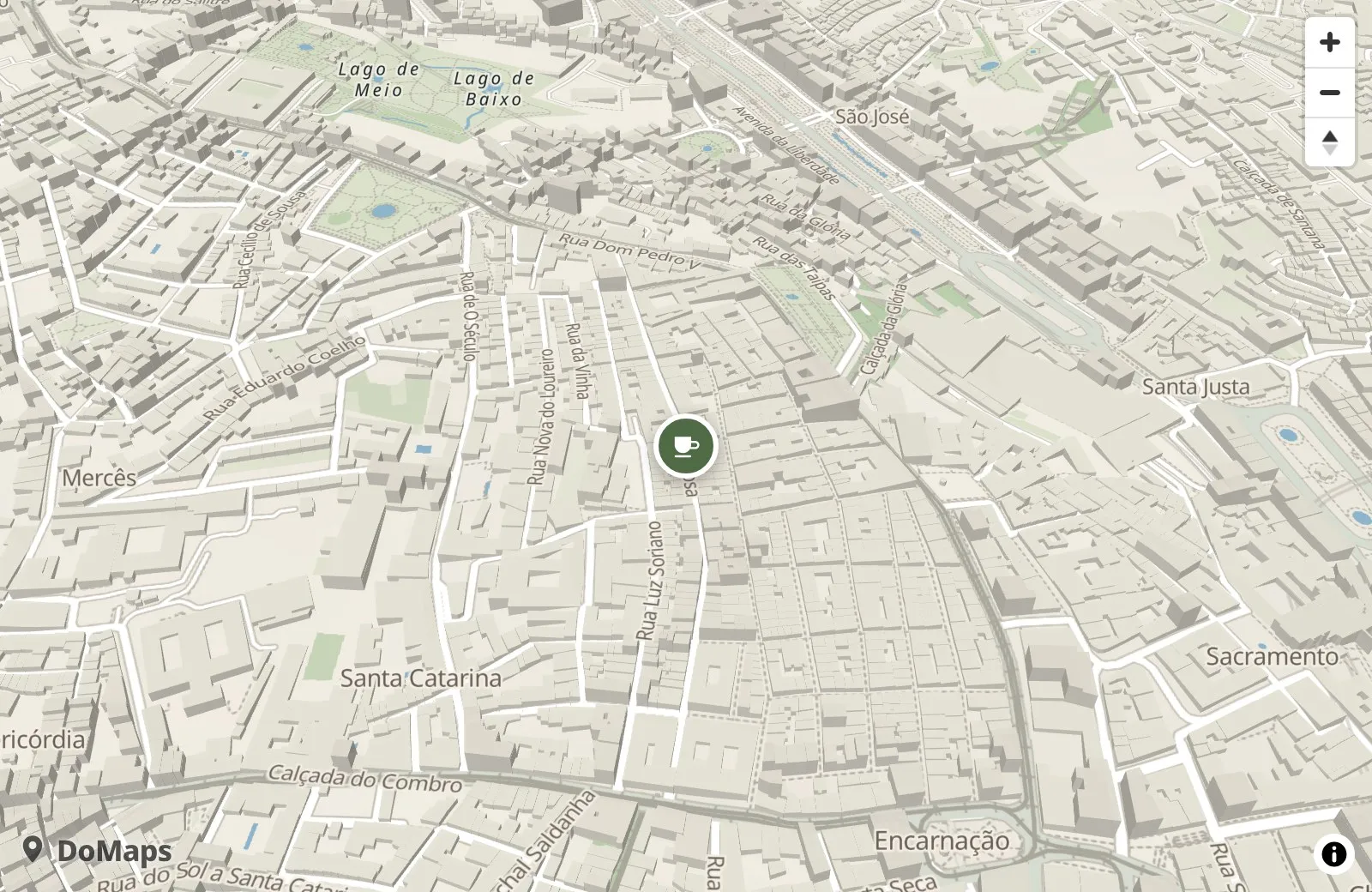
- Settings are URL parameters. URL-encode the values: a space is
%20, a comma%2C, an ampersand%26. - Colors are hex without the
#in URLs, for example6f4e37. - It works anywhere an iframe works, including WordPress, Wix, Squarespace and pages opened as a file. The guides show the steps for each site builder, and Learn answers general questions about maps on websites.
Div and script
The same map, with the settings as HTML attributes. The script turns each div into the iframe above.
Several maps on one page are fine.
<div data-domaps
     data-address="Carrer de Verdi 32, Barcelona"
     data-name="Café Example"
     data-primary="#6f4e37" data-background="#faf6f0" data-text="#2b1d14"
     data-icon="coffee"
     style="height: 420px; border-radius: 16px; overflow: hidden;"></div>
<script type="module" src="https://domaps.app/embed.js"></script>| Topic | Iframe | Div and script |
|---|---|---|
| Settings go in | URL parameters | data- attributes |
| Colors | 6f4e37 (no #) | #6f4e37 |
| Script | None | embed.js once per page, type="module" |
| Height | In the iframe’s style | Give the div a height |
Settings
- Required:
addressorplaces. Everything else is optional. - Iframe: URL parameters, colors without
#. Div: thedata-attribute, colors with#.
Where
Use address for one place, places for several. One of the two is required.
| URL parameter | Div attribute | Value | What it does |
|---|---|---|---|
| address | data-address | Street 12, City | One place. Include street, number and city. |
| name | data-name | text | Name shown in the pin popup. |
| places | data-places | JSON list | Several places. Up to 3 on the Free plan. Rules below. |
Colors
Take them from your site’s CSS. Without colors the map uses a neutral default look.
| URL parameter | Div attribute | Value | What it does |
|---|---|---|---|
| primary | data-primary | hex color | Your brand color (buttons, links). Used for pins and highlights. |
| background | data-background | hex color | The page background around the map. |
| text | data-text | hex color | The main text color of your site. |
Look and starting view
All optional.
| URL parameter | Div attribute | Value | What it does |
|---|---|---|---|
| icon | data-icon | words or pack:name | Pin icon. Words are matched to an icon (coffee gives a cafe icon), or name one exactly (maki:cafe, phosphor:coffee). Default: classic pin. |
| match | data-match | accent, harmonized, monolith | How strongly the map takes your colors. Default harmonized. Pictures below. |
| contrast | data-contrast | 0 to 1 | 0 is soft, 1 is bold. Default 0.45. |
| theme | data-theme | site, light, dark, system | Default site (follows the background color). system follows the visitor’s dark mode. |
| view | data-view | flat, tilted, 3d | How the map opens: flat (2D), tilted (default) or 3d. One place opens at zoom 15.5; several places are fitted to the pins. |
| camera | data-camera | lng,lat,zoom,pitch,bearing | An exact starting view. Overrides view and the fit. Rules below. |
| show-businesses | data-show-businesses | true | Show other shops’ names on the map. Hidden by default. |
Saved map
Only for maps saved to an account.
| URL parameter | Div attribute | Value | What it does |
|---|---|---|---|
| (path /m/MAP_ID) | data-map | map id | A saved map. All other settings are ignored. |
match: how much of your colors the map takes
The same map in Ericeira with each value:
-
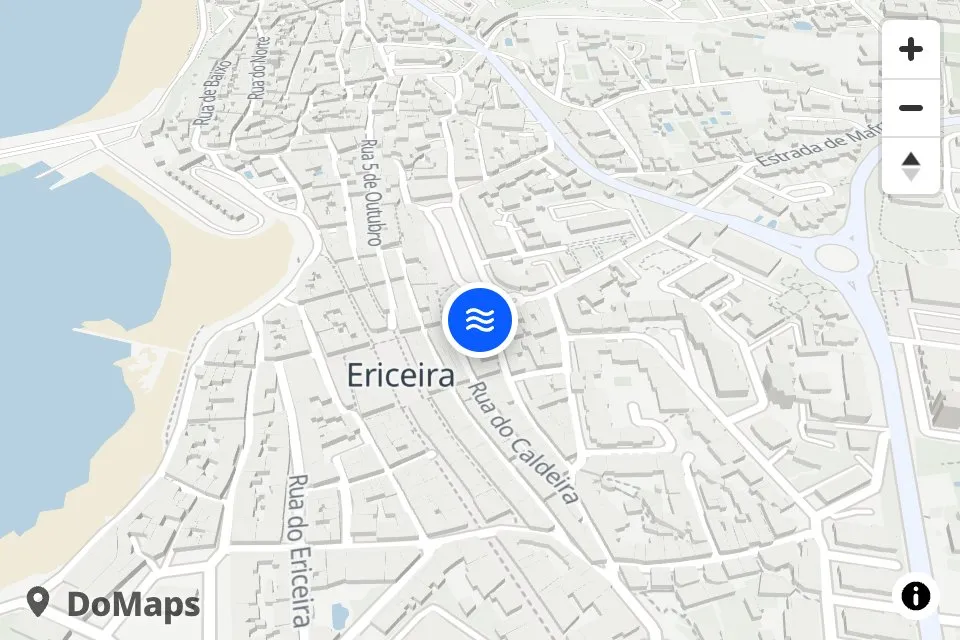
accent: A neutral map with your brand color on the pins. -
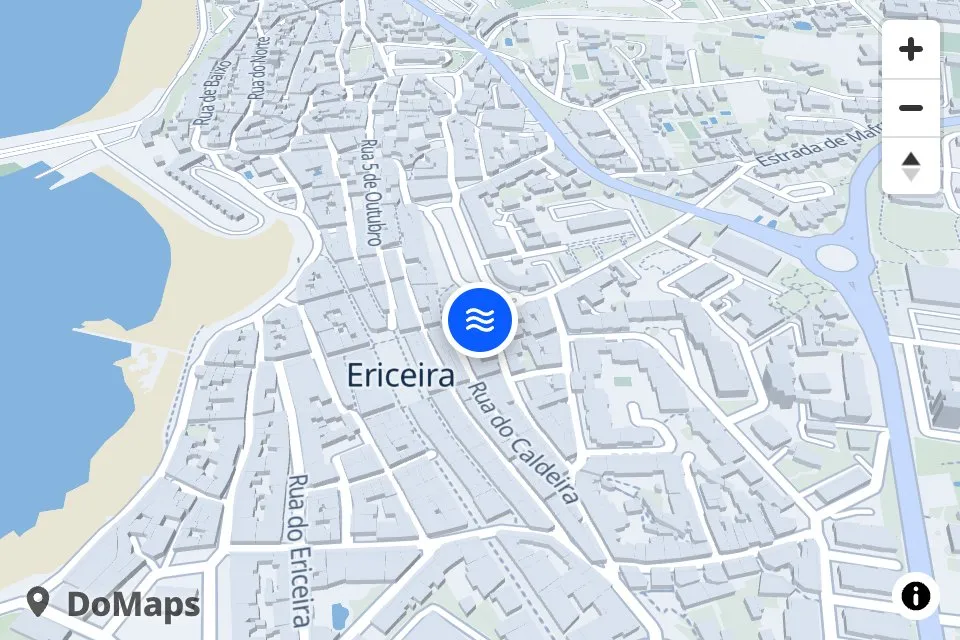
harmonized: Natural map colors tinted toward your brand. The default. -
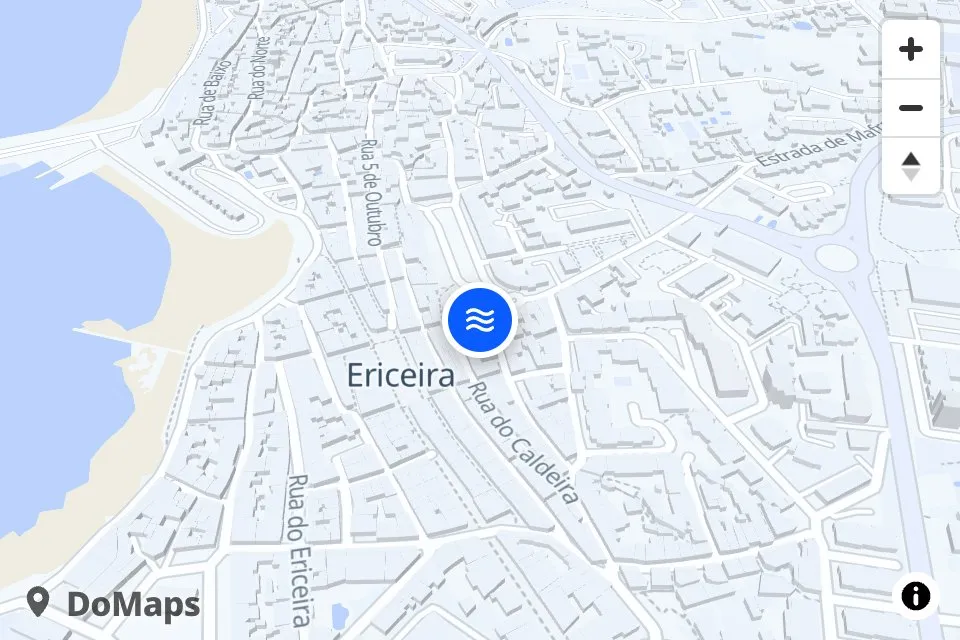
monolith: The map blends into the page.
places: the rules
- Format:
[{"name":"Shop","address":"Street 1, City"}] - Coordinates: a place may use
"lat"and"lng"(numbers) instead of"address". - How many: up to 3 places on the Free plan, more on paid plans. Past the limit the API refuses the map, and a settings embed shows the first 3 with a
DoMaps:console warning. - Address lookup: once, when the map is saved. The result is stored as coordinates. An address that isn’t found is left out (
POST /mapslists it inwarnings). - Per save: up to 25 addresses without
latandlng.
camera: the rules
- Format: five plain numbers, comma-separated, no spaces, at most 5 decimals. Example:
-9.1455,38.7134,16.2,52,-18 - Easiest way: set the view in the editor and click Start from here.
- Priority: it overrides
viewand the fit to the pins.
| Number | Allowed range |
|---|---|
| lng | -180 to 180 |
| lat | -85 to 85 |
| zoom | 1 to 20 |
| pitch | 0 to 70 |
| bearing | -180 to 180 |
A view or camera that can’t be read is ignored. The map fits the pins instead and says why in the browser console.
Examples
Several places
<div data-domaps data-primary="#b5522b" data-background="#fbf6ef" data-text="#3a2a20" data-icon="bakery"
     data-places='[{"name":"Sol","address":"Calle Mayor 12, Madrid"},{"name":"Malasaña","address":"Calle del Espíritu Santo 8, Madrid"}]'
     style="height: 460px;"></div>
<script type="module" src="https://domaps.app/embed.js"></script>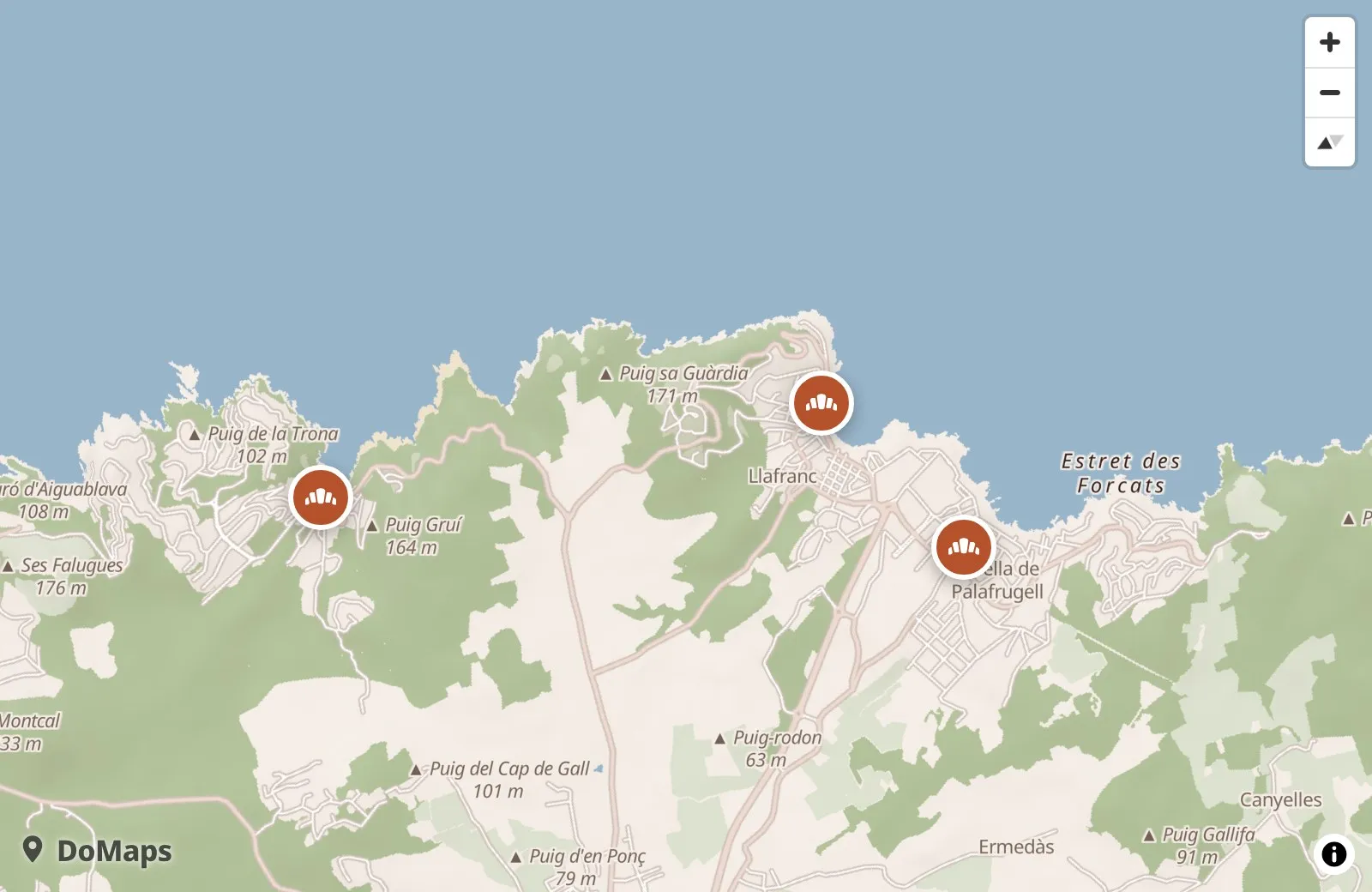
Dark website, flat map
<iframe src="https://map.domaps.app/map?address=Oranienstra%C3%9Fe%2040%2C%20Berlin&primary=7c74ff&background=0f1117&text=e6e8ef&view=flat"
        title="Map" loading="lazy" style="width: 100%; height: 420px; border: 0;"></iframe>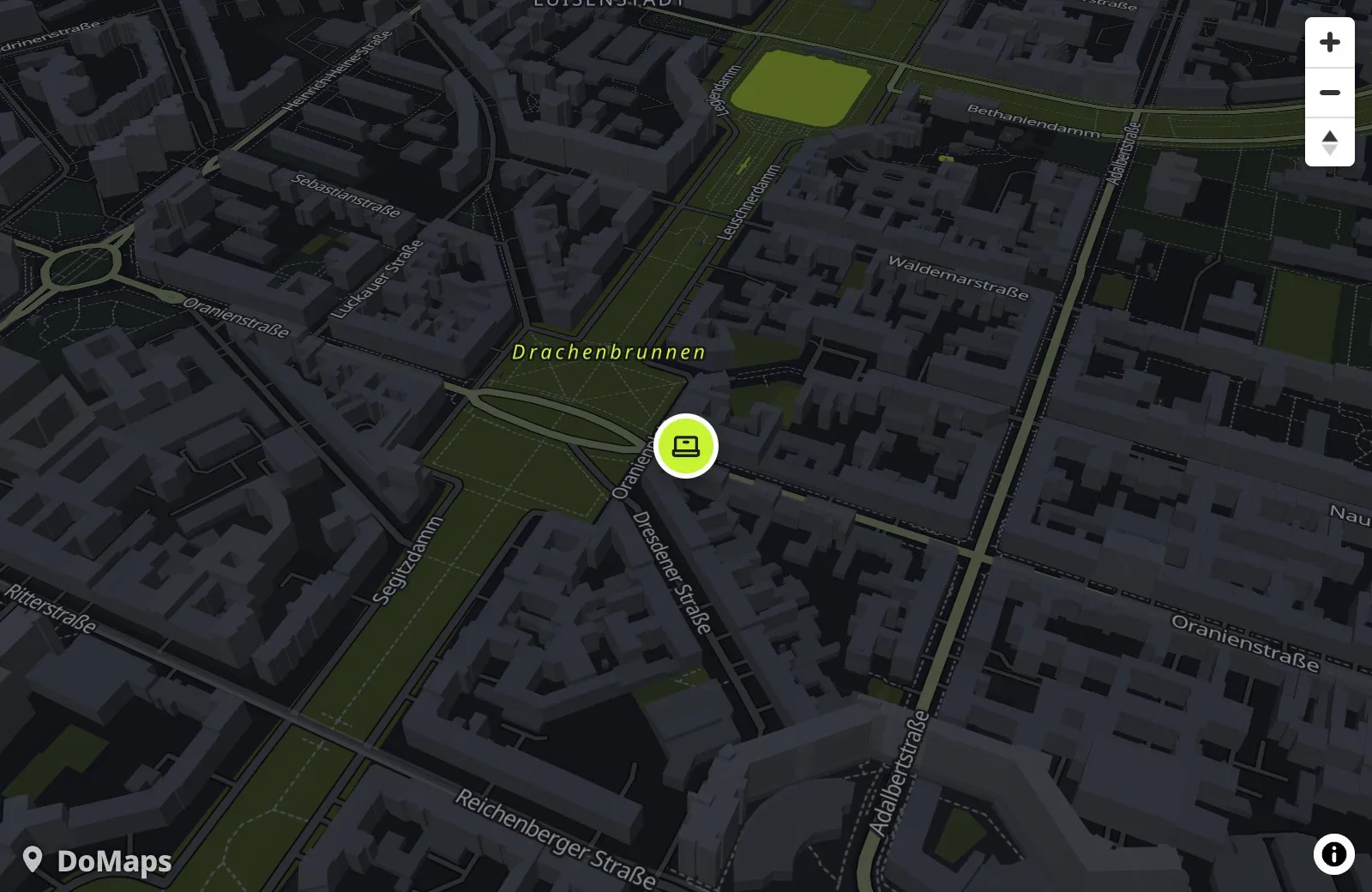
Tips
- Pass your site’s real colors. The map’s own colors are generated from them.
- Size: full width and 360 to 480px tall works well. Rounded corners like your site’s cards look best.
- Pin popup: the name, the address and a “Get directions” link. It opens Apple Maps on Apple devices and Google Maps elsewhere.
- What DoMaps adds to the map: on the Free plan a small “DoMaps” wordmark. Its menu has one link, “Made with DoMaps”. An unsaved map also shows a one-line save reminder under it for its first 24 hours or 100 views. Nothing else is added to the map.
Saving your map
A new map works without an account, for up to 1,000 views a month. The count resets each month.
Decide about saving before you publish your site. An unsaved map can’t be edited later: any change means making a new map.
How to save
- Make the map in the editor or with your AI agent. You get the embed code and a private save link.
- Open the save link.
- Enter your email.
- Open the login link from the email. The map is saved.
Unsaved vs saved
| Topic | Unsaved map | Saved map |
|---|---|---|
| Views a month | 1,000 | Your plan’s limit. 10,000 on the Free plan |
| Edit it later | No. Any change means making a new map | Yes, in My maps. Changes show on your site on the next page view |
| Save reminder under the map | For its first 24 hours or 100 views | None |
| Account | None needed | Your email. No password: we email you a link to log in |
Where your map came from
| Made with | How to save it |
|---|---|
| The editor | With its private save link. Step 3 of the editor also saves it with your email, or with one click when you are logged in. |
| Your AI agent (the API) | With the private save link the agent gives you when it is done. See For AI agents. |
A settings embed (/map?...) | It can’t be saved as it is, and its banner points to the editor instead. Open the editor with the embed’s settings added to its address. The editor makes a new map with a new embed code: put it on your site in place of the old one and save the new map in step 3. Until then the old embed keeps working as before. |
Good to know
- Keep the save link to yourself. Never put it on your site.
- A map saved with its save link is final.
- Wrong or missing key: a save link without its key, or with a wrong one, only offers Duplicate it: the editor with the map’s settings.
- The save banner: an unsaved map shows one line under the map for its first 24 hours or 100 views, whichever comes first, reminding you to save it with its save link. The map can’t be saved from the banner. “Close” hides the banner for everyone.
Embed a saved map
A saved map embeds by its map id, shown in My maps.
<iframe src="https://map.domaps.app/m/MAP_ID" title="Map: Café Example" loading="lazy" allow="geolocation"
style="width: 100%; height: 420px; border: 0; border-radius: 16px;"></iframe><div data-domaps data-map="MAP_ID" style="height: 420px;"></div>
<script type="module" src="https://domaps.app/embed.js"></script>Usage limits
One view is one time a page with the map opens. Views are counted per calendar month (UTC).
No extra charges, ever. Past the limit the map pauses. See pricing for the plans.
The numbers
| Limit | Unsaved map | Saved map |
|---|---|---|
| Views a month | 1,000 | Your plan’s limit. 10,000 on the Free plan |
| Daily safety limit | 500 counted views | 1,000 counted views |
| Extra views the first time over the limit | None | Up to twice the monthly limit, until the end of the month. Once a year |
What happens at the limit
- At 80% of the limit: You get an email.
- The first time over the limit: Saved maps keep working until the end of the month, up to twice the monthly limit. Once a year. Unsaved maps skip this step.
- After that: The map is paused until next month or an upgrade.
A paused map shows its places in place of the map: up to 5 names and addresses with “Get directions” links, in the map’s colors. A line at the bottom says why. The exact messages and what to do about each are in Troubleshooting.
Which views count
| Where the map opens | Counts? |
|---|---|
| Localhost, local network addresses, preview links (Lovable, Vercel, Netlify and similar) | Never. The map always shows. |
| A page opened as a local file | In some browsers. |
| A page the map can’t identify, for example an iframe with referrerpolicy="no-referrer" in Firefox | Yes. |
| A saved map on its own website | Yes. A saved map counts views only from its own website: add your domain under Your website in the editor. |
| A saved map on other websites, once its website is set | Up to 1,000 views a day, then “This map is set up for another website.” Your own site keeps working. |
Troubleshooting
When it works:
- The pins show in your
primarycolor. - Clicking a pin shows the name, the address and “Get directions”.
Problems are reported in the browser console with a DoMaps: prefix.
| What you see | Fix |
|---|---|
| “No address found for this map” | Add the street number and city to the address, or use lat and lng in places. |
| Nothing appears (div form) | Load embed.js with type="module", and give the div a height. |
| Wrong colors | Use the hex values from your site’s CSS: 6f4e37 in URLs, #6f4e37 in attributes. |
| “This map is paused until next month.” | The map isn’t saved and reached 1,000 views this month. It works again next month. Or save it with its save link. A settings embed has none: make a new map in the editor and put the new code on your site. |
| “Owner: open the map’s save link to save it.” or “Owner: make a new map in the DoMaps editor.” | The line for the owner under a paused unsaved map. The second one shows on a settings embed. |
| “This map is paused. It reached its monthly views limit.” | Your saved maps used up their plan’s views this month. They work again next month or when you upgrade your plan. |
| “This map is set up for another website.” | The map is saved for another site, and views from other sites, previews and localhost used up today’s share. It works again tomorrow. On your own site, add your domain under Your website in the editor. |
| “This map is paused until tomorrow.” | The map reached its daily safety limit. It works again when the next day starts (UTC). |
| “Map not found” | The map id in /m/MAP_ID or data-map is wrong. |
For AI agents
- Plain-text docs: the same docs are at /llms.txt. Point your coding agent there.
- Saving stays with you: it needs the owner’s email, so the agent leaves it to you.
- Terms: maps made through the API fall under the Terms, like any other map.
Paste this into your agent:
Add a DoMaps map to the contact section of my website.
Use our address and our brand colors. Instructions: https://domaps.app/llms.txt| Your agent | Path |
|---|---|
| Can make HTTP requests (Claude Code, Cursor, Codex and similar) | Path 1, recommended |
| Can’t make HTTP requests | Path 2 |
Path 1 (recommended): the agent creates the map
One request. No account and no API key.
-
Create the map. Colors work with or without the
#.placescan be a JSON list of up to 3 places on the Free plan.Shellcurl -s -X POST https://api.domaps.app/maps \ -H "Content-Type: application/json" \ -d '{"settings":{"name":"Café Example","address":"Carrer de Verdi 32, Barcelona","primary":"#6f4e37","background":"#faf6f0","text":"#2b1d14","icon":"coffee"}}'The response holds the iframe for the page and a private save link:
JSON{ "id": "k3Jx9QpL2a", "saveKey": "SAVE_KEY", "iframe": "<iframe src=\"https://map.domaps.app/m/k3Jx9QpL2a\" title=\"Map: Café Example\" loading=\"lazy\" allow=\"geolocation\" style=\"width: 100%; height: 420px; border: 0; border-radius: 16px;\"></iframe>", "saveUrl": "https://map.domaps.app/save/k3Jx9QpL2a#SAVE_KEY", "warnings": [] } -
Check
warnings. If it lists an address, the map can’t find it. The agent fixes the address and creates the map again. -
Put
iframeon the page exactly as returned. -
Hand you the
saveUrl. It never goes on the site or in the code. The agent gives it to you at the end, before the site is published, with saving first: an unsaved map can’t be edited later, and any change means making a new map. Then three steps: open the link, enter your email, open the login link from the email. You can also save it later with the same link.
- One map per site. If you want a different map before saving, the agent creates a new one and replaces the iframe.
- The save reminder is expected. The line under an unsaved map stays. The agent leaves it alone: saving is your choice.
API errors
Errors come back as JSON with the reasons in message.
| Status | Message | What to do |
|---|---|---|
| 400 | The reasons, in message | Fix what it says and send again. |
| 400 | “This map can show up to 3 places on the Free plan.” | Send 3 places or fewer. |
| 429 | Too many maps from one IP | One IP can create 10 maps a minute and 60 an hour. Wait and send again. |
| 503 | “Too many new maps right now. Try again in a few minutes.” | Too many new maps are being made across DoMaps. Wait a few minutes and send the same request again. |
Path 2: the agent can’t make HTTP requests
- The agent uses the settings embed from the Quick start.
-
When it is done, before the site is published, it gives you the editor link:
https://map.domaps.app/?plus the same settings. It asks you to decide about saving first, since an unsaved map can’t be edited later. - You open the link and the map opens in the DoMaps editor. Step 3 there saves it and gives you a prompt.
- You send the prompt to your agent, and it swaps the map code on your site.
Data and credits
The map shows its attribution automatically.
| Map data | © OpenStreetMap contributors |
|---|---|
| Tiles | OpenFreeMap, OpenMapTiles |
| Terrain | Mapterhorn and its data sources |
| Address search | Powered by Geoapify |
| Icons | Maki and Temaki (CC0), Phosphor (MIT) |